
Our product
Cadence, the sales app for food distributors
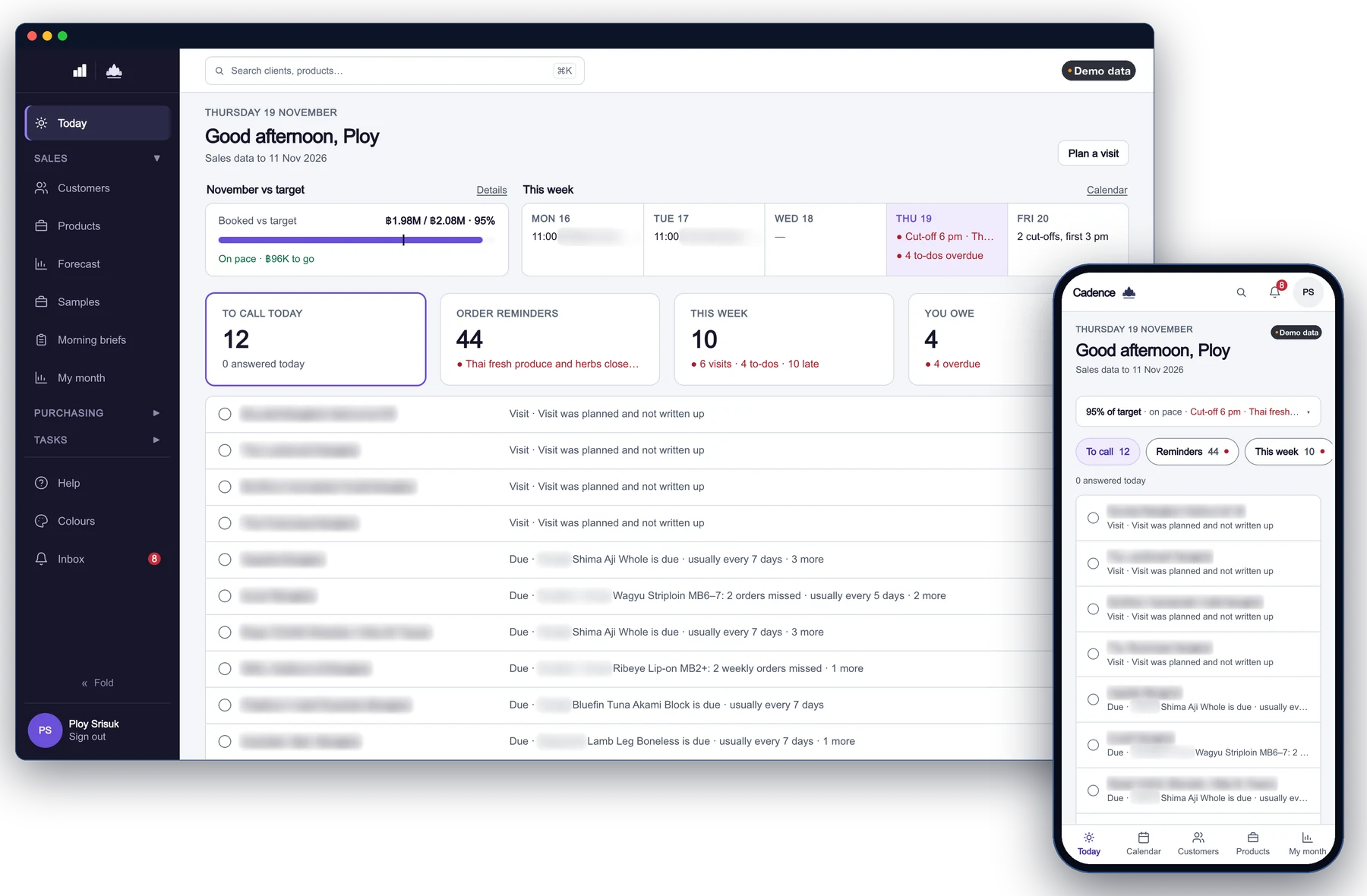
A working day for every sales rep, built from your sales history. Cadence is the sales app we designed and built for food and beverage distributors: it reads the sales history from your ERP export and tells each rep who to see, what to follow up and what was promised last time.
What it does
Six screens, one working day.
Today
One screen: visits planned, product lines to follow up, what is late, and where the rep stands against plan.
Customer file
Every account's orders, products, contacts and notes, before the visit.
Visit calendar
Who to see, with the last promise beside it.
Lapsed-product follow-up
When a customer usually buys a product and hasn't, the line comes up for a call, and the rep decides what to do.
Sales plan
A committed plan per customer and product, with drift shown as it happens.
Purchasing
What sales expects to sell becomes what buying should order.
Inside Cadence
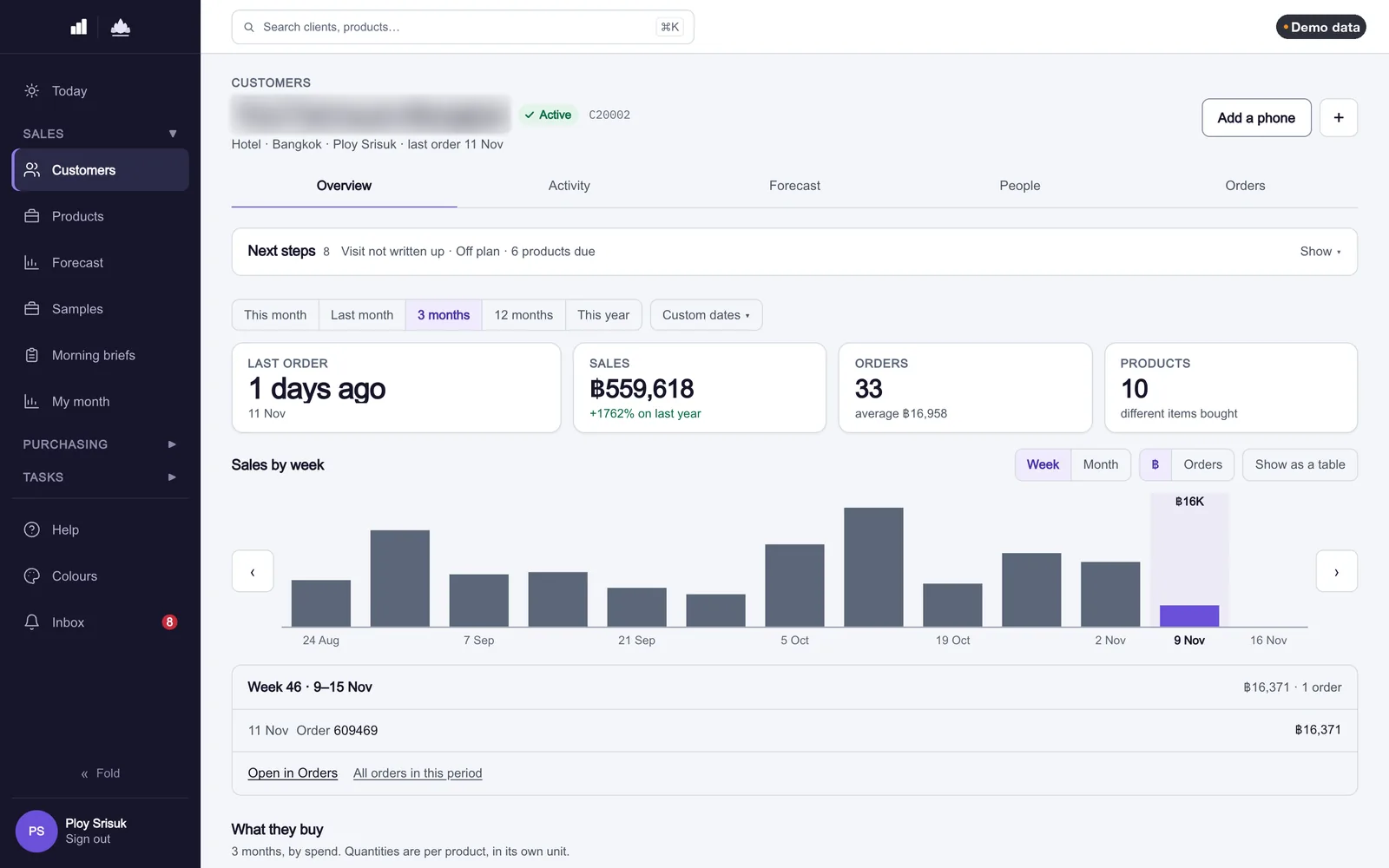
The customer file
Every account on one page before the visit: what it buys, how often, what changed this month, the contacts and the last notes. The rep walks in knowing which lines have slipped.
The plan
Forecasting
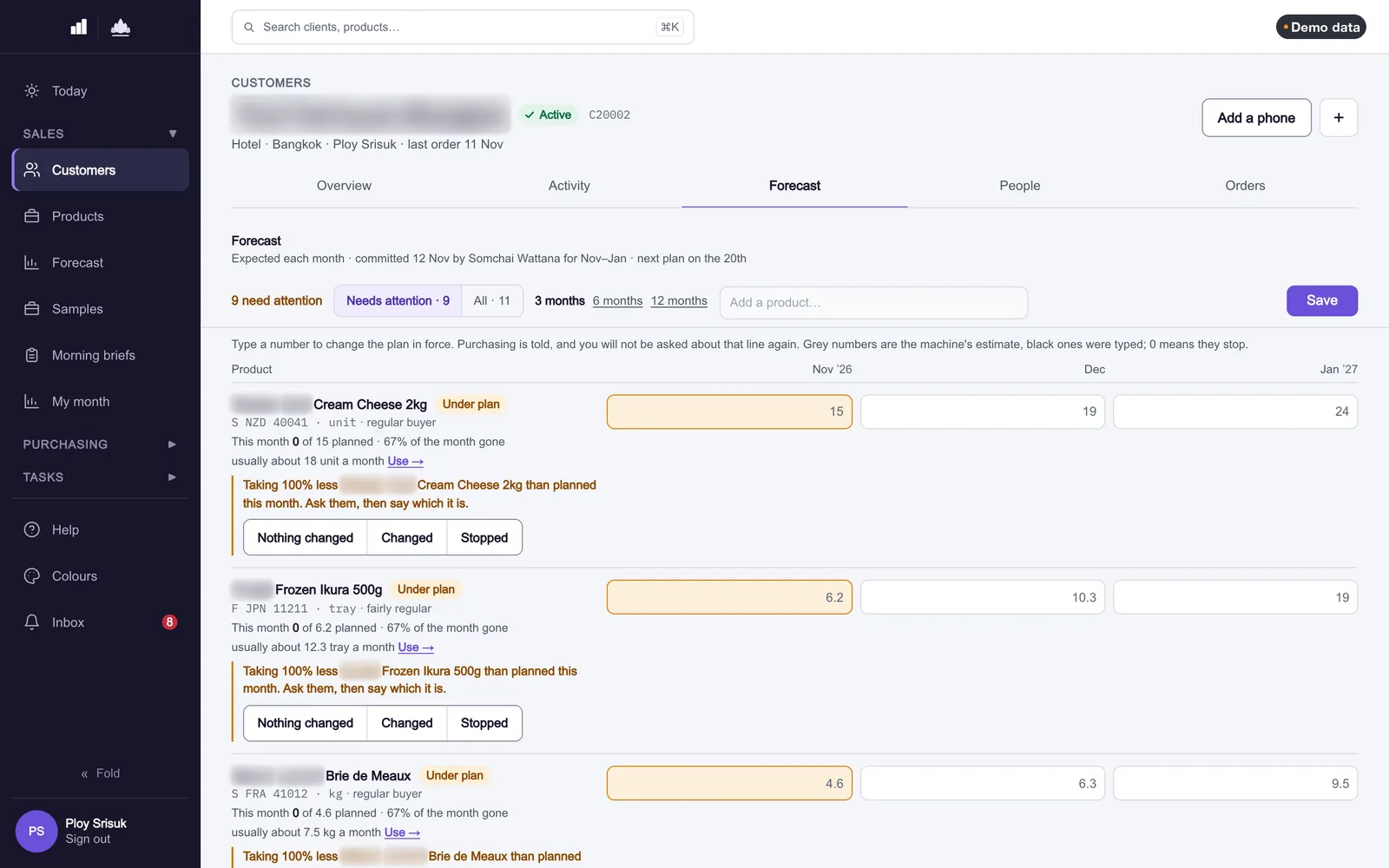
A forecast nobody owns is a guess. In Cadence, each rep commits a plan per customer and product for the coming weeks. As sales come in, the app shows where reality drifts from the plan, customer by customer, so a manager asks about the three accounts that moved rather than the whole list.
A line that has missed several of its own cycles asks the rep for a decision, and a line marked as stopped leaves the plan. Background: how to notice when a regular customer stops buying a product.
Buying
Purchasing
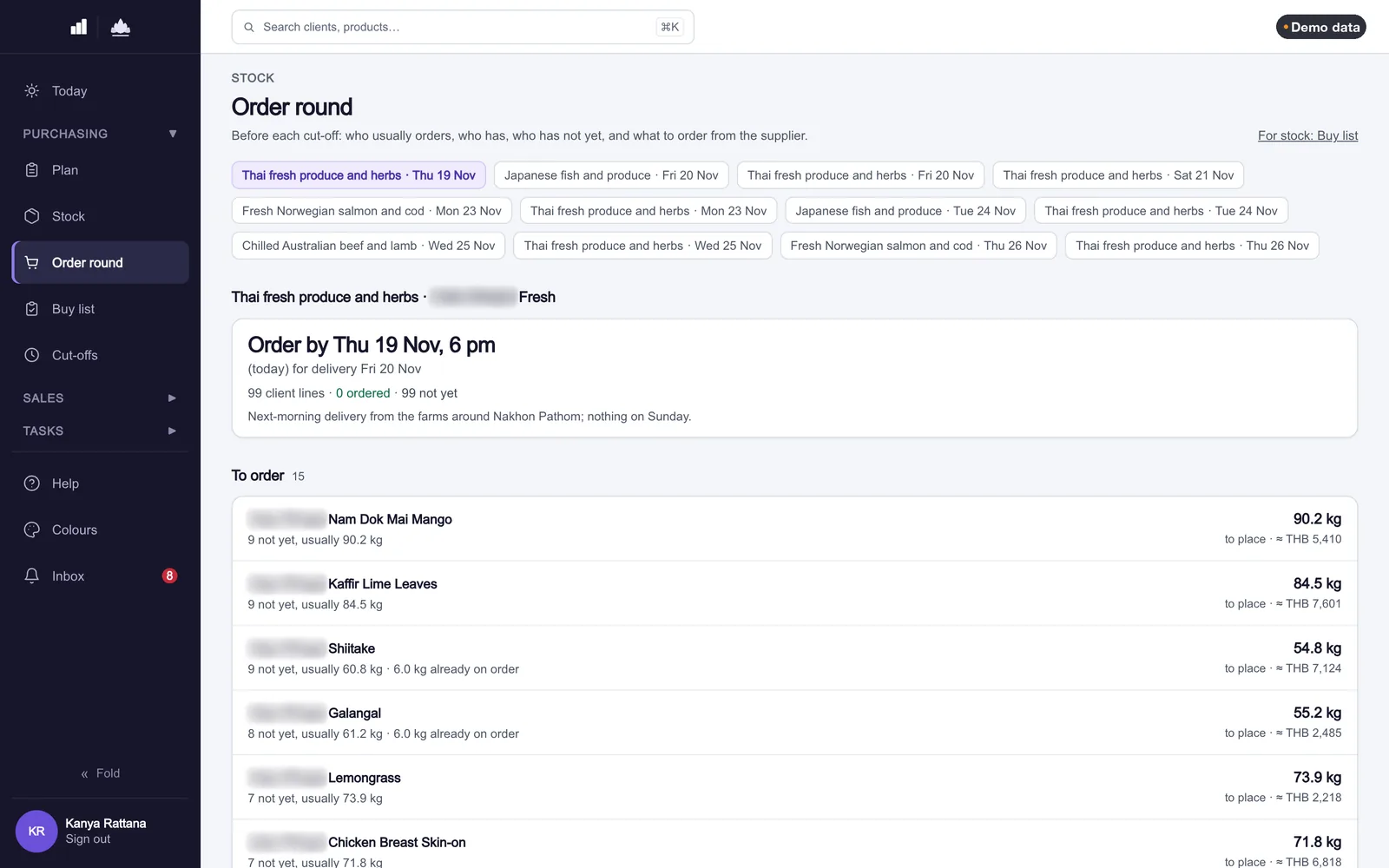
Purchasing sees the sum of the reps' committed plans next to stock and what is actually selling, and orders from that before each supplier's cut-off, rather than from last month's gut feeling. When a rep marks a product as stopped for a customer, purchasing hears about it instead of discovering it as short-dated stock.
Reads your ERP export
- It reads the ERP's sales export; it never writes over the ERP's records.
- Orders are placed in your ERP, not in Cadence.
- Reps only see the margin they're allowed to see.
- Each import is checked: a re-import of the same file changes nothing.
FAQ
Questions
Does Cadence take orders?
No. Orders stay in your ERP, and Cadence reads them.
Which ERP does it work with?
It starts from an export of sales history, which almost every ERP can produce. Ask us about yours.
Can reps see margin?
Only if you allow it. Margin is shown by role.
Can we try it on our data?
Yes. We start with a demo on your own sales export.
Are the screens on this page real?
Yes. They are screens from Cadence itself, running on demo data, with customer names blurred. No client data is shown anywhere on this site.
Related
Cadence demo
Ask for a demo on your own sales export.
Send us an export of your sales history (or ask what we need). We'll show you your reps' Today screen on a 30-minute call.
We reply within one working day, Bangkok time (GMT+7).